When IBM i administrators consider moving from physical tape to a virtual tape library, the first questions are often about backup performance, recovery, and how the new approach will fit into existing operations.
But there is another practical question that can determine whether virtual tape gets considered in the first place:
How will IBM i connect to the virtual tape library?
If you associate virtual tape with Fibre Channel or SAS connectivity, you may assume that deploying it means adding specialized hardware or making changes to your existing storage infrastructure.
That isn’t necessarily the case.
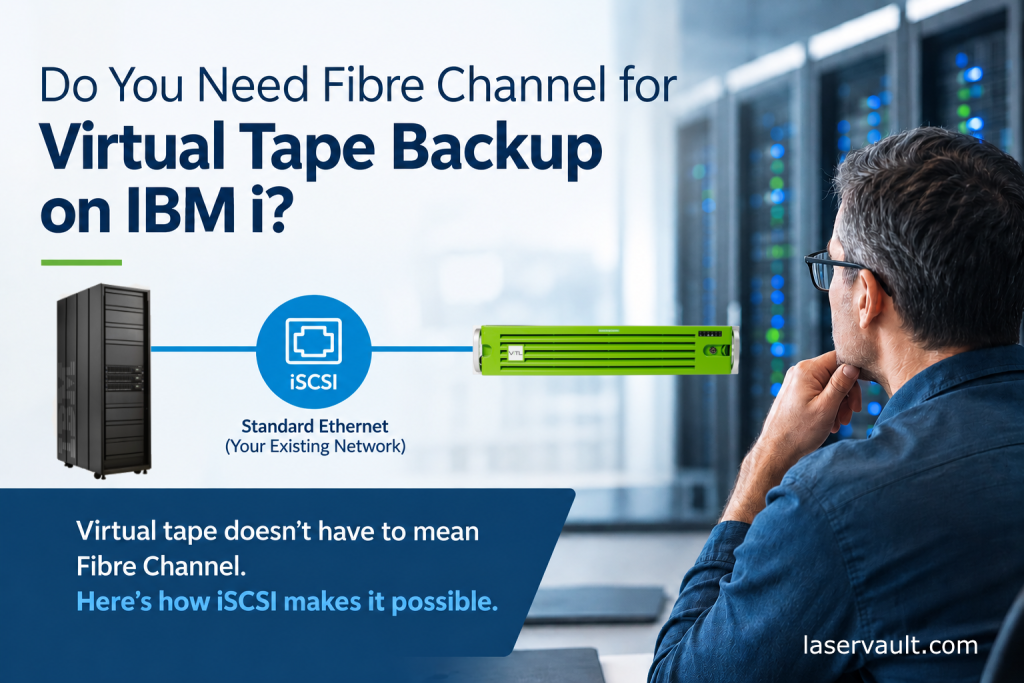
With iSCSI connectivity, LaserVault ViTL can connect IBM i to a virtual tape library over standard Ethernet. For organizations that already have Ethernet networking in place but don’t have Fibre Channel or SAS available, this provides another way to approach virtual tape.
Virtual Tape Is One Thing. Connecting to It Is Another.
Virtual tape replaces the physical tape library with a system that presents virtual tape drives and cartridges to IBM i. Instead of writing backup data to physical cartridges, IBM i writes to virtual tapes managed by the library.
From the IBM i administrator’s perspective, the familiar tape-library model remains. Existing backup applications and commands can continue to work with the virtual tape library.
The connection between IBM i and that library, however, depends on the connectivity option being used.
Traditionally, LaserVault ViTL has connected to IBM i through Fibre Channel or SAS. These remain valid options for environments that already have the appropriate infrastructure.
But not every IBM i shop has Fibre Channel available. Some organizations have standardized on Ethernet for their network connectivity. Others are running workloads in virtualized, cloud, or hybrid environments where Fibre Channel or SAS may not be practical.
That can lead administrators to rule out virtual tape before they’ve looked at all the available options.
What Changes When You Use iSCSI?
iSCSI carries SCSI storage commands over an IP network. In practical terms, it provides a way for a system to communicate with storage devices using Ethernet networking rather than a dedicated Fibre Channel connection.
With LaserVault ViTL’s iSCSI option, IBM i connects to the virtual tape library over Ethernet.
The important distinction is that the connection changes, but the basic virtual tape approach remains familiar.
IBM i still works with ViTL as a tape library. Backup applications and commands such as BRMS, Robot Save, and native IBM i save and restore commands can continue to be used.
You aren’t adopting an entirely different backup method simply because the connection uses iSCSI.
Of course, the environment still needs to be configured appropriately. Network capacity, server resources, IBM i configuration, and backup performance requirements all matter. Using Ethernet doesn’t mean that every existing network is automatically suitable for backup traffic.
It does mean you have another connectivity option to evaluate.
“Before ruling out virtual tape, take a closer look at the infrastructure you already have.”
Start With the Infrastructure You Already Have
Before assuming that virtual tape requires additional connectivity hardware, take a look at your current IBM i environment. A few practical questions can help determine whether iSCSI is worth considering:
- What network infrastructure is available? Identify the Ethernet connectivity between IBM i and the proposed ViTL system, including available bandwidth and network configuration.
- Where will ViTL run? Consider whether an on-premises server, virtual machine, or cloud-based deployment makes sense for your environment.
- What performance do your backups require? The appropriate network depends on the amount of data being backed up, the backup window, and whether multiple operations will run concurrently.
- What needs to change on the IBM i side? Review the required iSCSI configuration and compatibility with your IBM i environment and backup procedures.
- How will backup data be stored and protected? Consider the storage connected to ViTL, retention requirements, offsite copies, and recovery objectives.
These are the same kinds of questions you would ask when planning any backup infrastructure change. The difference is that iSCSI gives you another way to connect the systems without requiring Fibre Channel or SAS connectivity for the ViTL connection.
What About Your Existing Backup Process?
Connectivity is only part of the decision. IBM i administrators also need to know whether changing the connection means changing the way they perform backups and restores.
With LaserVault ViTL, the goal is to retain the familiar IBM i tape-library workflow while providing additional deployment flexibility.
You can continue working with established backup applications and commands while using virtual tapes instead of physical cartridges. The virtual tape data can be stored on supported disk storage, NAS, SAN, or deduplication systems, with options to replicate copies to supported cloud storage services, depending on the configuration.
This separation between the IBM i tape interface and the underlying storage gives administrators more flexibility in how they build and manage their backup environment.
For existing ViTL customers, iSCSI can also provide another connectivity option alongside Fibre Channel or SAS deployments.
See What It Takes to Put iSCSI Virtual Tape to Work
The best way to understand a technology is to see how it works in an actual environment.
In our upcoming webinar, Virtual Tape Without Fibre Channel: An iSCSI Approach, we’ll take a practical look at connecting IBM i to LaserVault ViTL over standard Ethernet.
In this 30-minute session on Oct. 27, we’ll discuss the connectivity and configuration considerations, how virtual tape fits into familiar IBM i backup and recovery processes, and what to consider when evaluating iSCSI for your environment.
The session also includes a live LaserVault ViTL demonstration, showing the connection between IBM i and the virtual tape library and how the technology fits into an IBM i backup workflow.
If you’ve understood the benefits of virtual tape but haven’t been sure how it would fit into your infrastructure, this is an opportunity to see another approach.
[Register for the webinar]
 QUESTIONS? Reach out to ax@laservault.com for more information on modernizing backup and recovery in your IBM Power Systems environment.
About LaserVault
For over 35 years, LaserVault (Electronic Storage Corporation) has been building reliable software solutions for IBM Power Systems. Our team combines deep technical experience with responsive support to help businesses and resellers get exactly what they need—fast.
We also partner with IBM, Cohesity, Rubrik, ExaGrid, Everpure and other technical experts to deliver trusted, modern solutions.
Visit laservault.com or email info@laservault.com to request a quote, schedule a demo, or ask about our reseller program.

Ax Synar, Vice President
LaserVault / Electronic Storage Corporation
ax@laservault.com
918-640-2630