Most IBM i shops have a backup process that works.
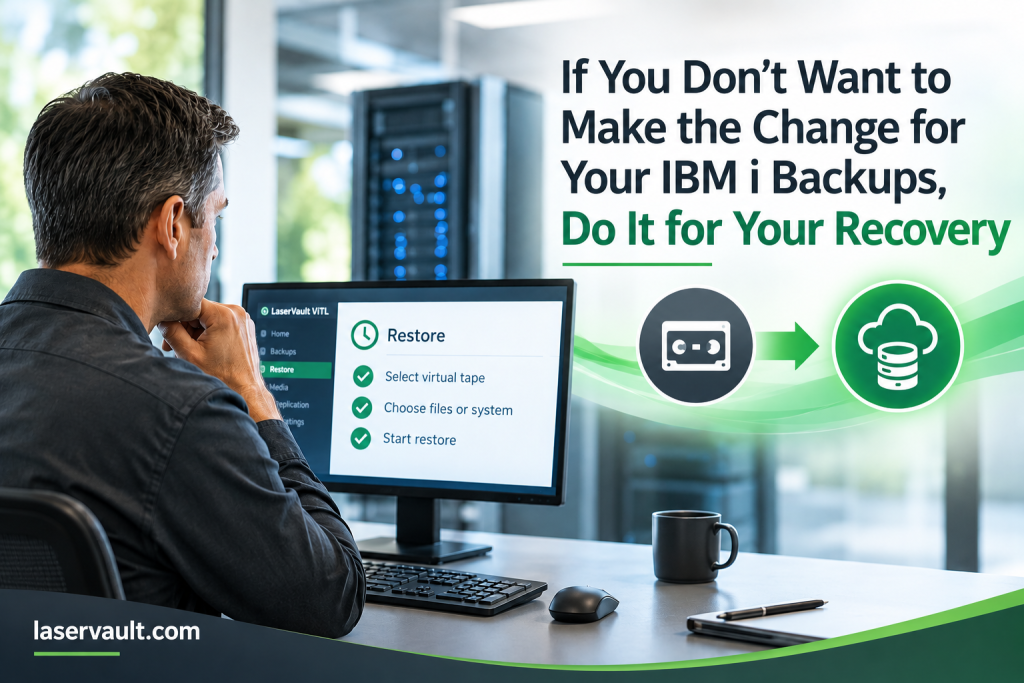
The jobs run. The backups complete. The tapes get labeled, stored, rotated, and eventually moved off-site. If you have been doing it this way for years, there is a good reason you may not be looking for a major change.
But there is another side of the backup conversation that is easy to overlook:
What happens when you actually need to recover?
A successful backup is only part of the equation. The real value of that backup is what happens when you need to use it.
“A successful backup is only part of the equation. The real value of that backup is what happens when you need to use it.”
Recovery Is Where the Backup Process Gets Tested
Under normal circumstances, physical tape can seem fairly simple. A backup runs, the tape is handled according to your procedures, and everyone moves on to the next task.
Recovery is different.
When you need to restore an application, recover a system, or respond to a larger outage, the process becomes much more important. You may need to determine which tape contains the data you need, locate the media, get it back to the appropriate location, load it into a tape drive, and work through the restore process.
That may be perfectly manageable for an occasional restore.
But consider what happens when the situation is more serious.
If a system is unavailable because of a hardware failure, site problem, disaster, or other significant event, you are no longer simply performing a routine restore. You are trying to get the business operating again.
That is when every extra step matters.
Where are the backups?
How quickly can you access them?
Are the right tapes available?
How much manual handling is required?
What has to happen before the first restore can begin?
These are recovery questions, but they are also backup-strategy questions.
A Backup Isn’t the Same as Recovery Readiness
One of the reasons organizations continue using physical tape is familiarity. The backup process is established, the IBM i applications and commands are known, and the staff understands how the environment works.
Changing all of that can seem unnecessary.
But moving away from physical tape does not necessarily mean changing the way you perform IBM i backups.
With virtual tape, IBM i can continue working with a virtual tape library much like it works with a physical one. Existing backup applications and familiar IBM i backup processes can continue to be part of the environment.
What changes is what happens to the backup after it is written.
Instead of creating physical media that has to be handled and moved, the virtual tape can be stored on disk-based storage or connected to other data-protection infrastructure.
That can make a significant difference when it is time to recover.
Changing What Happens After the Backup
LaserVault ViTL gives IBM i systems a virtual tape library while maintaining the tape-based backup model that many IBM i administrators already know.
The IBM i system still sees a tape library. Your existing backup processes can continue to be used. But instead of depending on physical cartridges for every backup and recovery operation, virtual tapes can be stored on accessible storage.
That changes the recovery process.
A restore does not have to begin with finding a physical cartridge and getting it to a tape drive. The virtual tape is already available within the ViTL environment.
For routine restores, that can reduce the amount of manual handling involved.
For larger recovery situations, it can become even more important.
Recovery and Disaster Recovery Are Connected
Disaster recovery is not simply about having another copy of your backups.
It is about having a recovery process that works when you need it.
That means considering where backup data is stored, how it is protected, how it can be accessed, and what steps are required to get from an outage to a working system.
LaserVault ViTL can be part of that larger strategy.
Virtual tapes can be stored on disk, NAS, SAN, or other storage and data-protection platforms. ViTL also supports replication capabilities that can help move backup data to another location or cloud storage environment.
“Disaster recovery is not simply about having another copy of your backups. It is about having a recovery process that works when you need it.”
That gives organizations options for building an off-site or broader disaster recovery strategy without abandoning the IBM i backup processes they already understand.
And because the backup data is no longer tied exclusively to physical cartridges, there can be fewer physical dependencies standing between you and the data you need to recover.
Think About the Recovery, Not Just the Backup
If your current backup process is working, you may not feel an urgent need to change it.
That is understandable.
So instead of asking whether you need to change your backups, ask a different question:
Are you comfortable with the process you would have to follow if you needed to recover right now?
Think about a single-file restore.
Then think about recovering an entire system.
Then think about doing it when your primary site is unavailable.
The answers may be different.
You may find that the backup itself is not the problem. The challenge is everything that happens between needing the data and actually being able to use it.
“You may not need to change your backups because they aren’t working. You may want to change them because your recovery process could work better.”
That is one of the practical reasons to consider virtual tape.
You can preserve the familiar IBM i backup model while changing the underlying way backup data is stored, accessed, protected, and recovered.
You don’t necessarily have to make the change because your backups aren’t working.
You may want to make the change because your recovery process could work better.
For more practical information about IBM i backup, recovery, virtual tape, data protection, and our new iSCSI Connectivity option, read more from the LaserVault team on our blog.
 GOT QUESTIONS? Reach out to ax@laservault.com for information on improving backup and recovery in your IBM Power Systems environment.
About LaserVault
For over 35 years, LaserVault (Electronic Storage Corporation) has been building reliable software solutions for IBM Power Systems. Our team combines deep technical experience with responsive support to help businesses and resellers get exactly what they need—fast.
We work with resellers and MSPs around the globe, and also partner with IBM, Cohesity, Rubrik, ExaGrid, Everpure and other technical experts to deliver trusted, modern solutions for IBM i Systems.
Visit laservault.com or email info@laservault.com to request a quote, schedule a demo, or ask about our reseller program.

Ax Synar, Vice President
LaserVault / Electronic Storage Corporation
ax@laservault.com
918-640-2630