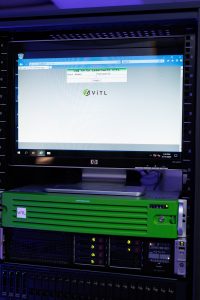
With the latest update to LaserVault ViTL (Virtual Tape Library), support for multiple library paths per tape library introduces a powerful new way to optimize backup strategies, improve storage efficiency, and simplify long-term data management. In this post, we’ll explore how this change benefits backup workflows, the technical challenges it addressed, and the new features it enabled.
Smarter Backup Organization: Why Multi-Path Support Matters
One of the biggest advantages of multiple library paths is the ability to segregate tapes by retention policy. For example:
- Daily saves can be stored in one path (e.g. 15–30 day retention),
- Weekly saves in another (e.g. 90–120 day retention),
- Monthly or yearly saves in a separate path with 7-year retention.
This matters because many backup appliances take snapshots at the share level. These snapshots inherit a fixed retention period. If all tapes—daily, weekly, and monthly—are grouped in a single share, the snapshot must stay valid as long as the longest-retention tape is inside it, potentially wasting significant storage space.
By defining separate paths and mapping each to its own view or volume, you align snapshot retention with actual tape retention policies, minimizing unnecessary storage consumption on your deduplication appliance.
Technical Challenges & Solutions
1. Rethinking the Single-Path Assumption
Historically, ViTL libraries assumed a single library path and an optional export path (used to move tapes out of inventory). Supporting multiple paths meant reworking this core assumption:
- Inventory management was updated so that any path can now be marked as “excluded from inventory,” mimicking the old export path functionality.
- This change ensures continuity for users who previously used the export feature, while expanding flexibility for everyone else.
2. Tape Creation & Path Selection
In IBM i environments, it’s common to dynamically create tapes during backup operations. Previously, the tape creation command assumed a fixed path. With multiple paths, the system now needs to know which path to use.
To solve this:
- A new command, SET PATH, was introduced.
- Users run SET PATH to define the active path for subsequent tape creation commands.
3. Disk Space Reporting Accuracy
ViTL’s web interface reports disk usage across storage paths. With multiple paths possibly pointing to the same physical disk, care had to be taken to avoid double-counting space.
A new setting allows administrators to exclude certain paths from space calculations, ensuring accurate reporting even when multiple paths share the same volume.
New Command-Line Features: Tape Migration
The ViTL daemon now includes a new migrate action to support path-to-path tape movement.
- Users configure migration sets through the web interface.
- Each migration set defines:
- Source and destination paths
- Optional tape name prefix filtering
- Running vitald –action=migrate copies tapes to the new path and removes them from the source, effectively completing the move.
Use Case: Fast Landing Zone + Archival Tier
This migration capability enables a tiered backup architecture:
- Save backups to a fast-landing zone (e.g., SSD, RAID 0, or NVMe).
- After the backup completes, migrate tapes to long-term archival storage:
- Deduplication appliances (Cohesity, Rubrik)
- Cloud shares (Azure File Share, etc.)
- Network-attached storage
This improves backup speed and ensures the IBM i server can quickly offload data while the ViTL server handles background migration.
Easier Storage Expansion
Another benefit of multiple paths: incremental storage expansion.
In the past, outgrowing a disk volume meant:
- Deleting and recreating RAID sets
- Copying data to the new array.
Now, you can:
- Add new storage (internal disk, NAS share, etc.),
- Create a new library path pointing to that location,
- Continue backups without downtime or reconfiguration.
Faster Replication Inventory Updates
When replicating tapes (especially deduplicated ones), ViTL used to trigger a full inventory rebuild on the receiving server—an expensive operation with large libraries.
Now, the system performs incremental updates:
- Only the replicated tape is added or updated,
- Avoids the need to scan all tapes,
- Reduces replication latency and CPU load.
Ready to learn more? Contact us to learn about multi-path benefits and how you can transform your IBM i backup and recovery process with virtual tape.
About Us:
LaserVault is powered by a team of sales and support experts with over 100 years of combined experience. We design, develop, and support innovative backup and storage solutions, working directly with customers and trusted resellers worldwide to deliver tailored solutions and exceptional support.
Our partnerships with leading technology providers, including IBM, Cohesity, Rubrik, ExaGrid, and Pure Storage, further enhance the value we offer. Known in the industry as LaserVault, we operate as Electronic Storage Corporation, a company that has been delivering cutting-edge software solutions for IBM Power Systems for over 35 years.
Visit us at www.laservault.com or email info@laservault.comto request a quote or schedule a complimentary, customized demonstration. Interested in becoming a LaserVault reseller? Email us to get started.